
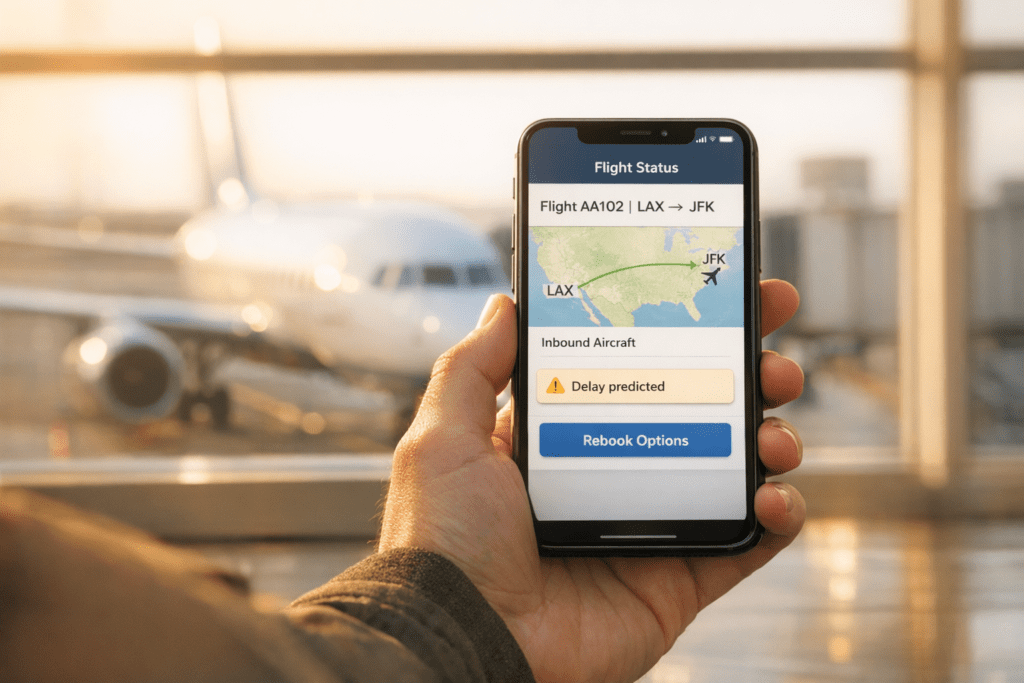
Flight delays are common and can disrupt your travel plans, but staying informed can help you act quickly. Here’s how you can track flight delays effectively:
- Airline Apps/Websites: Use your airline’s app or website to check your flight status, gate updates, and delays. Many apps include features like tracking your incoming aircraft.
- Push Notifications: Enable alerts in airline apps or third-party tools to get real-time updates on delays, gate changes, or cancellations.
- Third-Party Apps:
- Flighty: Predicts delays before airlines announce them and tracks inbound planes.
- Flightradar24: Offers real-time flight maps, 3D views, and airport data.
- FlightAware: Focuses on tracking inbound aircraft and provides detailed delay insights.
- Inbound Aircraft Tracking: Monitor the plane assigned to your flight for early signs of delays.
- 24/7 Support: Services like Flight Booking 247 offer live assistance for rebooking during delays.
5 Flight Tracker Apps You Need for Travel | Stress-Free Trips (2025)
sbb-itb-e205081
How to Use Airline Apps and Websites for Flight Updates
Your airline’s app or website is one of the best tools for keeping up with flight updates. Major carriers like United and JetBlue make it easy by displaying your flight status right on the home screen. These platforms provide real-time details, helping you stay informed about your travel plans.
How to Access Flight Status Information
To check your flight’s status, just open the airline’s app, enter your flight number, or select your travel route. The status screen will typically show key details like departure time, gate assignment, and any delays. Some airlines go a step further with an inbound aircraft tracking feature. For example:
- United Airlines includes a “Where is my plane coming from?” link.
- JetBlue offers a similar “Where’s my plane?” option.
These features let you see if your incoming aircraft is on its way or delayed, giving you better insight into potential schedule changes.
For a quick update without using the app, you can search for your flight status directly on Google by typing “[airline] [flight number] status.” Just keep in mind that gate assignments may change as your departure time approaches, so it’s worth checking back regularly.
How to Enable Notifications for Updates
Push notifications are a convenient way to stay on top of changes like gate reassignments, delays, or cancellations. To activate these alerts, enable push notifications in your airline app’s settings. As JetBlue explains, “To receive automated messages via the mobile app, customers must enable push notifications.”
If you booked through a third party, you can still receive real-time updates. Add your email or phone number in the “Manage Trips” section of the airline’s website or app. JetBlue, for instance, uses an automated Flight Status Notification Tool to send updates to the primary email address linked to your reservation.
Even if your flight shows as delayed, stick to your original check-in time. United Airlines advises, “United Airlines will do everything practical to ensure we provide the most accurate flight status information at all times. However, situations change quickly… a flight listed as ‘Delayed’ may, depending on the circumstances, depart ‘On Time.'” Airlines can adjust schedules with little notice, so staying prepared is essential.
For more advanced tracking options, consider using third-party apps, which we’ll cover next.
Third-Party Apps for Flight Tracking
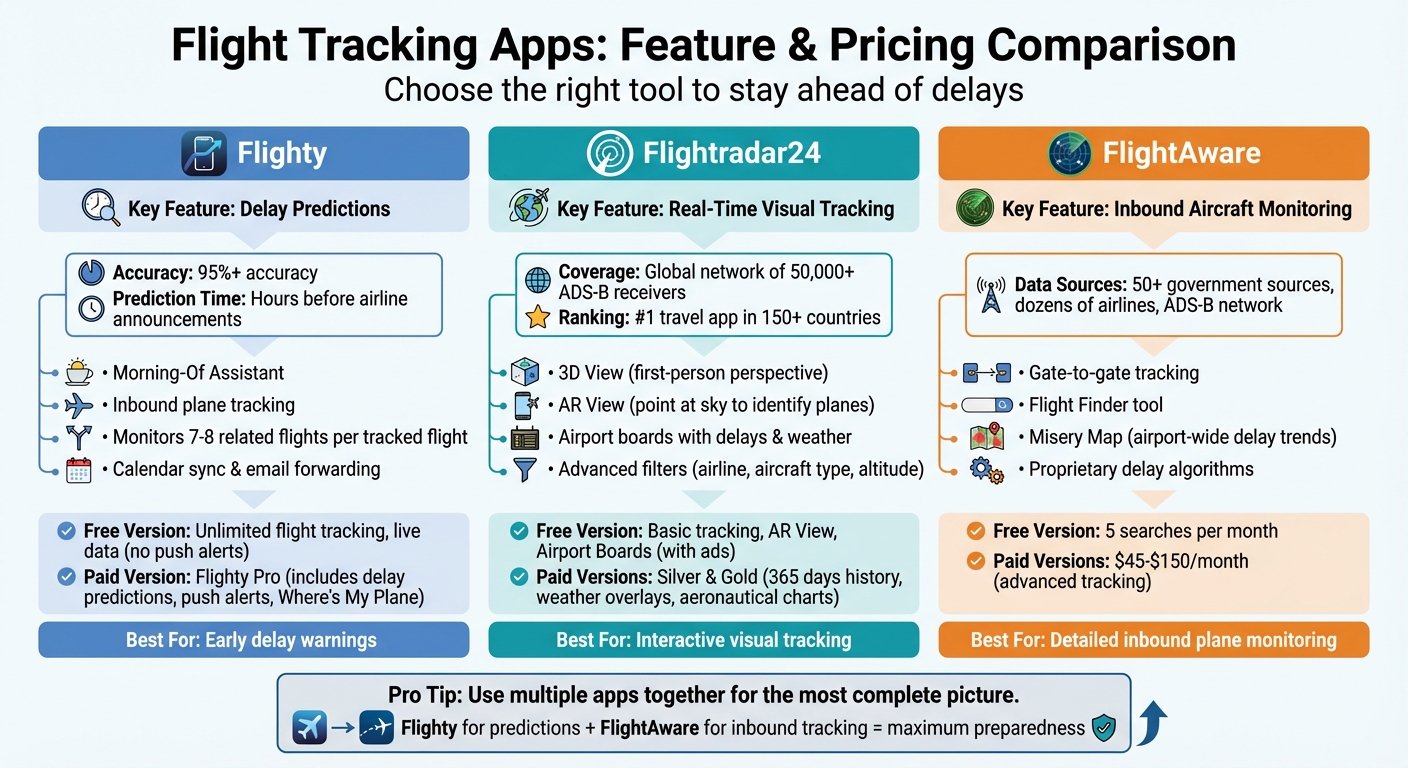
Flight Tracking Apps Comparison: Features and Pricing Guide
In addition to airline apps, third-party tools bring speed and advanced features to flight tracking, especially when dealing with delays. For example, Flighty uses machine learning to predict delays well before airlines issue updates, Flightradar24 offers real-time tracking with interactive maps, and FlightAware provides detailed insights into inbound aircraft.
How to Use Flighty for Delay Alerts and Predictions
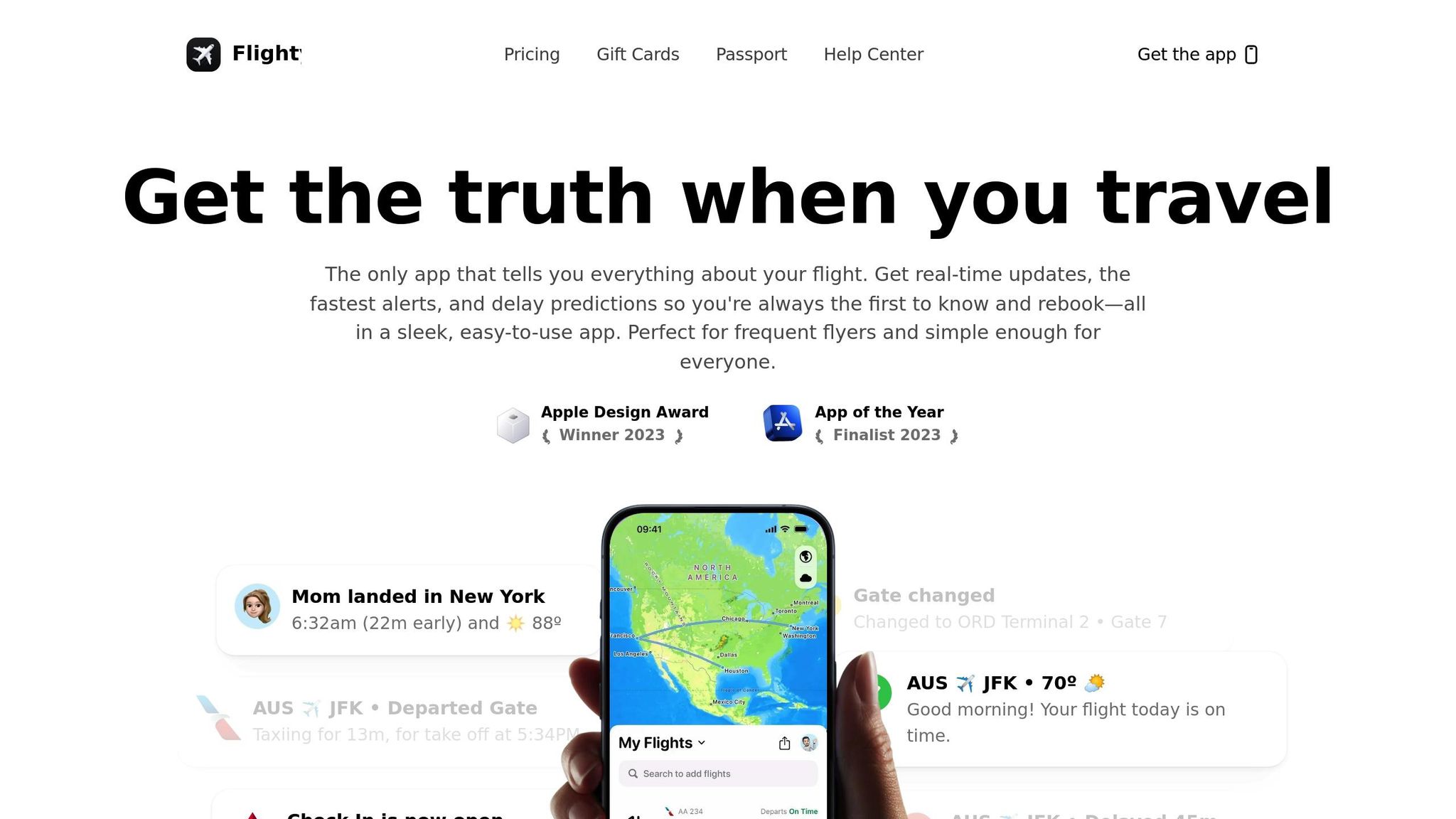
Flighty stands out for its ability to predict delays hours ahead of official airline announcements. According to their Help Center, “Our predictions are over 95% accurate and often arrive hours before the airline notifies you.” The app displays both predicted and official times side-by-side, so you can compare and prepare accordingly.
Getting started is simple: you can add flights by manual search, syncing your calendar, using TripIt, or forwarding confirmation emails. To enable alerts, tap your avatar, go to Settings, and toggle options like Delay Predictions and Inbound Plane Alerts under the Alerts section. To ensure accuracy, Flighty monitors 7–8 related flights for every flight you track. On the day of travel, the “Morning-Of Assistant” provides an early report on your plane’s status and airport conditions.
Flighty offers a free version with unlimited flight tracking and live data, though push alerts and advanced features like delay predictions are exclusive to Flighty Pro. The Pro version also includes “Where’s My Plane?” tracking and is free for your first flight without requiring a subscription.
Next, let’s look at how Flightradar24 makes flight tracking visually engaging.
How to Track Flights with Flightradar24
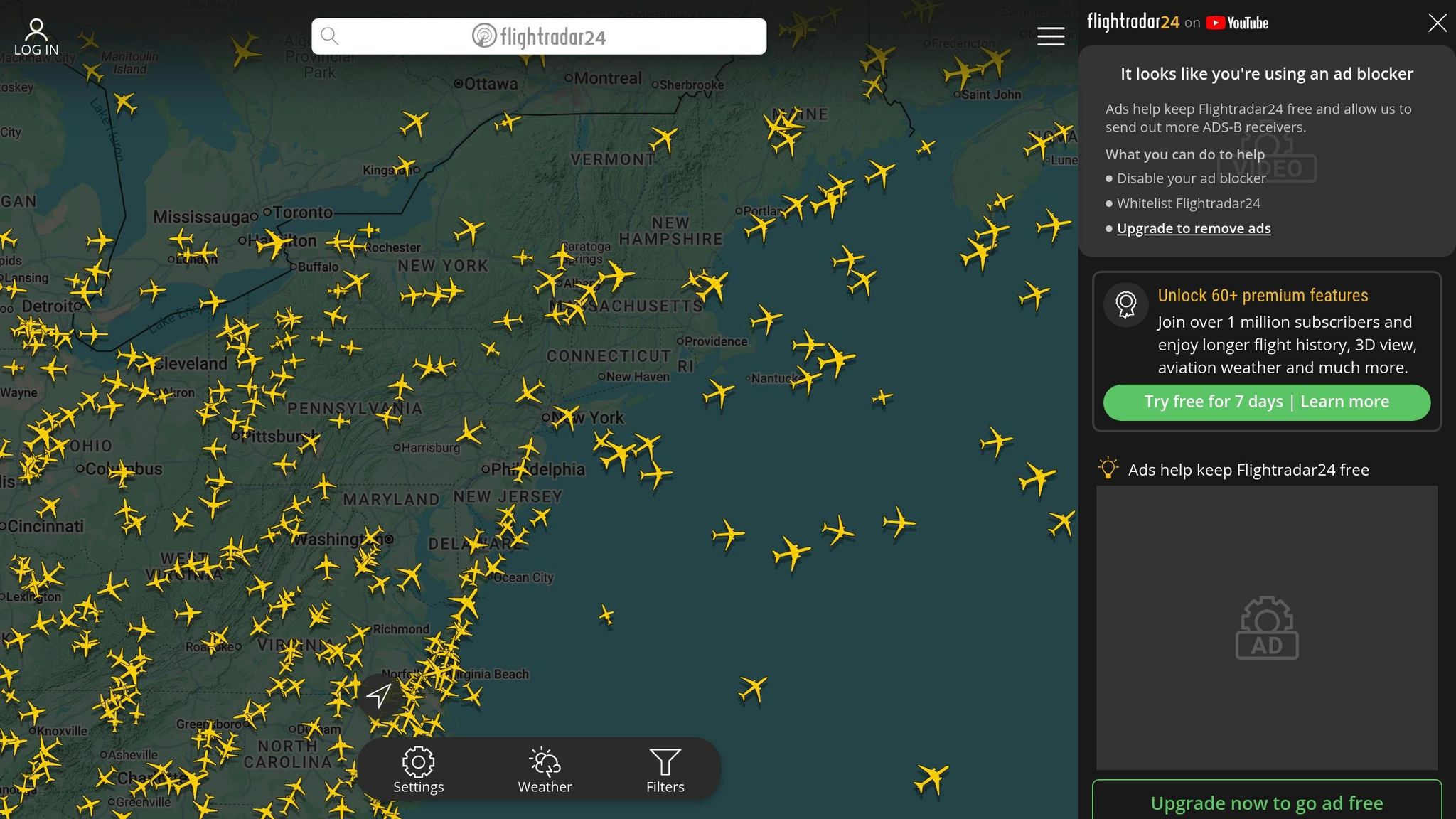
Flightradar24 transforms flight tracking into an interactive experience with its real-time global map. You can tap on any aircraft to see its route, estimated arrival time, speed, and altitude. Among its standout features are:
- 3D View: A first-person perspective of flights.
- AR View: Point your phone at the sky to identify planes overhead.
- Airport Boards: Get detailed airport data, including delays and weather.
- Advanced Filters: Narrow your search by airline, aircraft type, altitude, and more.
The app operates through a global network of over 50,000 ADS-B receivers and ranks as the #1 travel app in more than 150 countries. While the free version includes basic tracking, AR View, and Airport Boards (with ads), Silver and Gold subscriptions unlock extras like 365 days of flight history, weather overlays, and aeronautical charts.
For a more focused look at inbound flight monitoring, FlightAware is another excellent option.
How to Use FlightAware for Inbound Plane Monitoring
FlightAware excels at tracking inbound aircraft, using data from over 50 government sources, dozens of airlines, and a vast ADS-B network. Simply enter your flight number to view live updates on the plane’s position and expected arrival. The platform also tracks gate-to-gate times, which are especially useful for passengers.
One of its key benefits is the ability to check if your inbound plane is delayed before it even reaches your departure gate. If you’re unsure of the flight number, the “Flight Finder” tool can help you locate the aircraft and its current status. For a broader overview, the “Misery Map” highlights airport-wide trends and potential delays across the system.
FlightAware’s free version allows for five searches per month, while premium plans – ranging from $45 to $150 per month – offer advanced tracking and additional features. According to the company, “FlightAware’s proprietary algorithms calculate delay and arrival time estimates to offer the most up-to-date and reliable flight tracking data on the Internet.”
These third-party apps complement airline tools by delivering faster updates and deeper insights, helping you stay ahead of travel disruptions and make informed decisions on the go.
How to Use Flight Booking 247 for Real-Time Assistance

Flight Booking 247 pairs seamlessly with tracking tools like Flighty or FlightAware, offering hands-on, human support when you need it most. By connecting with a live concierge, you gain access to round-the-clock assistance to monitor your flight status, explain your options, and even rebook your flight on the spot.
How to Access 24/7 Support for Flight Delays
Call their 24/7 helpline to speak directly with an operator who can access real-time flight updates and guide you through the situation. This is especially helpful during late-night delays or international travel hiccups, when airline customer service lines are either overwhelmed or simply unavailable.
Unlike automated chatbots, a live operator provides tailored help. Whether you’re dealing with a missed connection, unsure about compensation rules, or trying to compare rebooking options in a hurry, this service adds a personal touch. It complements tracking tools by giving you a human ally when quick decisions are critical.
How to Rebook Flights During Delays
Flight Booking 247 builds on real-time updates by actively searching for alternative flights while you’re on the phone. The operator reviews available options and handles the rebooking process for you – saving you the stress of juggling multiple airline apps or websites under tight time constraints.
This service covers both domestic and international flights. Keep in mind, though, that rebooking is subject to the original airline’s policies, fees, and seat availability. While the basic helpline offers flight information at no cost, personalized rebooking assistance through their concierge service may include additional fees, along with any charges from the airline for fare differences or changes.
For the best results, use tracking apps to identify delays early, then rely on Flight Booking 247 as your go-to solution for last-minute, hands-on help when navigating your options.
Tips for Monitoring Flight Delays in Real Time
Building on the tools and apps already mentioned, these extra tips can make real-time flight delay monitoring even easier and more effective.
Use Multiple Tracking Tools Together
Don’t put all your trust in just one source. Using multiple tracking tools together gives you a more complete picture. Many savvy travelers rely on a mix of airline apps and third-party trackers like Flighty or FlightAware. Why? Airline apps are great for managing boarding passes and rebooking, while apps like Flighty use advanced technology to predict delays up to 25 hours before takeoff.
Take Joel, for example. In January 2023, he was flying from JFK to Buffalo for a business trip. At 7:30 a.m., Flighty sent him an alert about a delay on an earlier leg of his journey – before the airline even updated its status. Acting quickly, Joel booked a Delta flight out of LaGuardia instead and made it to his meeting on time. This kind of proactive planning is only possible when you’re tracking your flight across multiple platforms.
Check Inbound Aircraft Status
Tracking the actual plane assigned to your flight can give you a critical heads-up. After all, your flight can’t leave if the plane hasn’t arrived at the gate. Monitoring the inbound aircraft – using your airline’s app or a third-party tracker – can reveal delays long before they’re officially announced.
“Airlines don’t always do an amazing job keeping passengers updated… I can’t even count the number of times I’ve been at a gate 10 minutes before the scheduled departure time… with the flight showing ‘on-time,’ even though there wasn’t even a plane at the gate.”
- Ben Schlappig, Founder, One Mile at a Time
Late-arriving planes are the leading cause of flight delays. For high-stakes trips, it’s worth checking the inbound aircraft’s recent schedule. This can help you spot potential delays stacking up across earlier flights.
Turn On Notifications Across All Platforms
Push notifications are your best friend when it comes to staying informed. Turn them on for every app you’re using – whether it’s an airline app, a third-party tracker, or another service. Apps like Flighty often send alerts about gate changes or delays before the airline even makes an announcement.
“Flighty alerts me before the gate agents even know of a change.”
- Brian Kelly, The Points Guy
Additionally, enable text or email alerts when booking your flight and setting up your tracking apps. The sooner you know about delays or cancellations, the quicker you can rebook or adjust your plans to avoid further complications.
Conclusion
Keeping tabs on flight delays in real time gives you more control over your travel experience. With about 20% of domestic flights delayed in 2023, the right tools can help you avoid last-minute stress and make adjustments before you even leave for the airport.
Pair your airline’s app for official updates with third-party trackers like Flighty or FlightAware. These apps often notify you 2 to 90 minutes earlier than airline alerts, giving you a crucial edge when time is tight.
When delays happen, 24/7 support becomes a lifeline. Services like Flight Booking 247 provide real-time rebooking assistance, helping you secure alternative flights quickly – especially when every minute counts.
The bottom line? Don’t rely on just one source of information. Enable push notifications across platforms, monitor your inbound aircraft, and keep Flight Booking 247’s helpline handy for immediate support. Staying informed and acting fast can turn potential chaos into manageable changes.
Take charge of your travel plans by staying alert and prepared. The right tools and strategies can make all the difference.
FAQs
How early can I spot a delay before the airline posts it?
You can get a heads-up on flight delays even before the airline makes an announcement by using real-time tracking tools like FlightAware or Flighty. These tools let you see the exact location of your aircraft and whether it’s running behind schedule or still on its way. In many cases, they can alert you to delays at least 30 minutes earlier than official updates. Staying on top of this information keeps you one step ahead.
How do I find and track my flight’s inbound aircraft?
You can keep tabs on your flight’s inbound aircraft with real-time tracking tools and apps. By entering your flight number on platforms like Flightradar24 or FlightAware, you can see the aircraft’s current location and status. Many airlines also share inbound flight details on their websites or mobile apps, giving you updates on any possible delays. These tools make it easy to monitor the aircraft’s position and expected arrival time as it happens.
When should I call Flight Booking 247 to rebook after a delay?
If your flight gets delayed or canceled, don’t wait – reach out to Flight Booking 247 immediately. For domestic flights, act fast if the delay exceeds three hours; for international flights, call if it’s over six hours. The sooner you contact them, the better your chances of securing the best rebooking options and receiving tailored support.